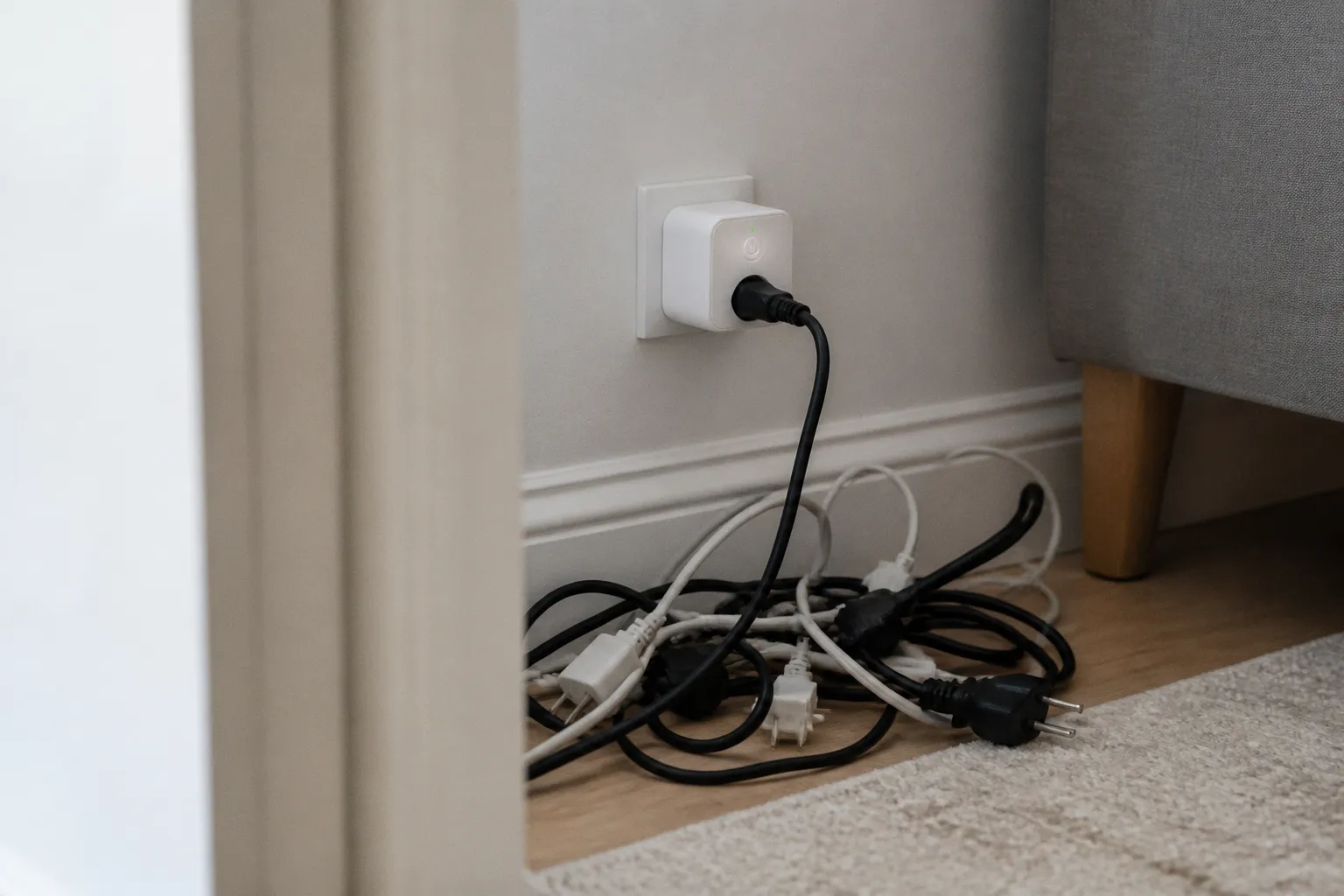
Research from Lawrence Berkeley National Laboratory has estimated that phantom, or “vampire,” loads account for roughly 5% to 10% of residential electricity consumption in developed countries—around 500 to 1,000 kWh per household each year.
The less convenient fact is that a smart plug is not an invisible switch. It has its own electronics, wireless connection and control circuitry. Even when the connected appliance is turned off, the plug normally remains awake. The relevant question, therefore, is not whether smart plugs use electricity when off. They do. The question is whether their standby power consumption is smaller than the load they eliminate.
That distinction is where the glossy automation narrative begins to lose some of its voltage.
The hidden cost of phantom loads
Many household appliances never really switch off. They enter a low-power state, waiting for a remote-control signal, a network command, a software update or the impatient human who wants the television to wake instantly. Consoles, televisions, printers, speakers, desktop computers, kitchen appliances and chargers can all draw power while appearing inactive.
Individually, these loads may look trivial. A television drawing less than a watt in standby does not sound like an energy crisis. Neither does a games console consuming a few watts while waiting for a controller. The arithmetic changes when dozens of devices remain connected around the clock, across an entire home and across an entire housing stock.
Standby power is particularly easy to ignore because it has no visible performance. The refrigerator cools, the router connects, the television displays an image. A dormant console, by contrast, simply occupies the electricity bill. It is a small, persistent demand with none of the psychological drama of a heater or air conditioner.
The term “vampire power” is useful as shorthand, although it encourages a slightly theatrical understanding of the problem. Most standby consumption is not malicious, and much of it exists for a reason: convenience, responsiveness, remote access or compliance with networked-device expectations. The industry has spent years making appliances easier to wake and harder to disconnect completely, then presents automation as the elegant solution to a problem it helped normalize.
A smart plug can cut the power between the appliance and the wall. When it is configured to do so, the connected equipment no longer receives electricity at all. That is different from placing an appliance in its own sleep mode, where a small but continuous current remains available.
But the plug itself must stay powered if it is expected to receive commands. It cannot obey a schedule, maintain a Wi-Fi connection or listen for a voice assistant while electrically dead. “Off” in the app generally means “off for the appliance,” not “off for the smart plug.”
A smart plug does not abolish standby power. It relocates a smaller portion of it to the device managing the socket.
That smaller portion can still matter, particularly when the appliance being controlled already has a very low standby load.
How much electricity does a smart plug use when off?
The answer depends largely on the wireless protocol and the design of the device.
Most Wi-Fi smart plugs consume roughly 1 to 5 watts in standby. They need to maintain a connection to the home network, respond to commands and remain available to the manufacturer’s cloud service or local controller. Some products may use less under particular conditions, but the broad range is enough to make the central point: a Wi-Fi plug is not an energy-free accessory.
Smart plugs based on Zigbee or Z-Wave generally consume less, with typical standby figures around 0.3 to 0.6 watts. These protocols use low-power mesh networking rather than maintaining the same kind of direct Wi-Fi connection. The trade-off is that they usually require a compatible hub or controller, which adds another powered device to the system. As ever, the brochure counts the elegant object on the wall; the household pays for the ecosystem.
A useful way to interpret smart plug standby wattage is to convert it into annual energy consumption. A device drawing 1 watt continuously uses about 8.76 kWh over a year. On that basis:
| Smart plug standby draw | Approximate annual consumption |
|---|---|
| 0.3 W | 2.6 kWh |
| 0.6 W | 5.3 kWh |
| 1 W | 8.8 kWh |
| 2 W | 17.5 kWh |
| 5 W | 43.8 kWh |
These figures describe the plug’s own consumption, not the appliance connected to it. They also assume continuous operation, so real-world results can vary by model, network activity and operating conditions. Still, the scale is clear. A 5-watt smart plug can consume almost 44 kWh per year merely by remaining ready for instructions. That may be justified if it disconnects a much larger load. It is less persuasive when attached to a lamp that uses 2 watts.
The phrase “do smart plugs use electricity when off?” therefore deserves a precise answer: yes, almost always. A plug that continues to respond to an app is not electrically off. A plug that cuts both the appliance and its own internal circuit would be genuinely off, but it would also be unavailable for remote control until someone manually restored power.
This is not a defect. It is the operating logic of networked hardware. The defect lies in pretending that the logic does not exist.
The efficiency paradox: when the smart plug wastes more
Smart plugs are most useful when they control appliances with meaningful standby consumption or when they prevent a device from being left active for long periods. They are least useful when the connected device already consumes almost nothing while idle.
Consider a low-power LED bedside lamp rated between 2 and 18 watts. If the lamp is normally switched off at its own physical control, its residual consumption may be negligible. A Wi-Fi plug drawing 1 to 5 watts could then erase the theoretical saving—or create a net increase. The automation has not reduced demand; it has added a permanently powered computer to a circuit that did not need one.
The same problem appears with modern electronics designed for low standby consumption. A television using around 0.3 to 1 watt in standby may not be a worthwhile target for a relatively hungry Wi-Fi plug. A Zigbee or Z-Wave model may perform better, but the calculation still depends on the exact devices and on how often the television is actually disconnected.
This is the part of the market that tends to disappear beneath the adjective “smart.” Intelligence is not the same as efficiency. A device can offer elaborate schedules, occupancy detection and remote control while consuming more power than the behavior it automates.
The useful comparison is straightforward:
| Connected device | Likely value of a smart plug | Why |
|---|---|---|
| Games console in high-power standby | Often worthwhile | A console can draw about 10 W in Instant-On mode, substantially more than a low-power plug |
| Desktop computer and accessories | Potentially worthwhile | Several peripherals may remain energized together |
| Printer or office equipment | Situational | Savings depend on standby draw and how often the equipment is idle |
| Television with very low standby consumption | Often marginal | The plug may consume a comparable amount |
| Small LED lamp | Frequently poor | A 1–5 W Wi-Fi plug can rival the lamp’s own operating or standby demand |
| Chargers with negligible idle draw | Usually unnecessary | There may be little residual load to eliminate |
| Entertainment cluster on a smart power strip | Often strong use case | One control point can isolate several devices at once |
The Xbox One offers a particularly clean illustration. In Instant-On mode, it draws about 10 watts in standby. In Energy-Saving mode, the figure falls to approximately 0.5 watts. The annual difference is not theoretical: at an electricity price of £0.30 per kWh, the reported cost is about £26.28 per year for Instant-On compared with roughly £1.31 for Energy-Saving mode.
A smart plug can eliminate the larger standby load, but it is not necessarily the first intervention. The console’s own energy setting may already solve most of the problem without adding another networked device. If a plug is used, its consumption should be measured against the residual load that would otherwise remain.
This is why household energy management should begin with the appliance’s settings and behavior, then move outward to automation. Otherwise, the smart plug becomes a technological ceremony performed around a menu option.
Where smart plugs make a real difference
The strongest applications share one of two characteristics: the appliance has a substantial standby load, or the user routinely forgets to switch it off fully.
Games consoles are a clear example when they are left in fast-start or instant-on modes. The console remains ready for updates and rapid activation, but that convenience has a measurable electrical cost. A schedule that cuts power overnight can make sense, provided the user accepts that automatic updates and remote wake functions will no longer operate during the disconnected period.
Home entertainment systems can also benefit. A television, streaming box, soundbar, game console and amplifier may each draw a modest amount when idle, but together they form a larger cluster. A smart power strip is often more rational than several individual smart plugs because it can isolate the entire group with one schedule. The strip also reduces the number of always-on radio devices in the home.
Home-office equipment is another plausible target. Monitors, speakers, printers, docking stations and peripheral chargers can remain energized long after the working day ends. The savings vary considerably, but the basic behavior is predictable: if several devices are normally left connected for sixteen hours while nobody is using them, a scheduled shutdown has a reasonable chance of exceeding the plug’s own demand.
The best candidates usually have these traits:
- They consume several watts or more while idle, rather than a fraction of a watt.
- They remain unused for long, predictable periods such as overnight or during working hours.
- They do not require continuous connectivity, background updates or remote access.
- They can tolerate a hard power cut without data loss or configuration problems.
- They are grouped with other devices whose standby loads can be eliminated at the same time.
The last point is more important than the marketing language suggests. A single smart plug attached to a single low-power device may accomplish very little. One smart power strip controlling an entire entertainment or office cluster may deliver a much cleaner result.
There are also appliances that should not be casually disconnected. Network equipment, security systems, medical devices, refrigerators, freezers and anything involved in climate control may need continuous operation. A scheduled cutoff that saves a few watts while disabling an essential function is not efficiency; it is poor system design with a dashboard.
Automation is not the same as disconnection
The term “vampire power smart plugs” often implies that any product with a schedule can eliminate phantom loads. That is not quite right. The plug must physically interrupt power to the connected device. Some products offer monitoring, timers or app controls without guaranteeing that their switching behavior suits every load.
A passive energy-saving box that sits in a wall outlet and claims to stabilize or reduce household electricity use is a different category altogether. It does not actively isolate appliances in the way a properly functioning smart plug or smart power strip does. The distinction matters because the market has a long memory for impressive labels and a short one for electrical engineering.
A genuine smart plug can cut the load, but its switching may introduce practical complications:
1. The appliance may not restart automatically.
Some devices return to standby after a power interruption; others remain off until a physical button is pressed. Automation is only useful if the appliance’s behavior after reconnection is understood.
2. Scheduled shutdowns can interfere with updates.
Consoles, computers and networked equipment may need time to install updates or complete background tasks. A midnight cutoff is not neutral if it repeatedly interrupts those processes.
3. Hard cuts are not suitable for every computer.
A desktop system should be shut down through its operating system before the smart plug disconnects the supply. Otherwise, the plug is simply converting energy management into a data-integrity problem.
4. Cloud dependence creates another failure point.
A Wi-Fi plug may depend on an account, an external service or a functioning router. If the manufacturer changes its platform or abandons support, the supposedly permanent energy strategy can become a plastic object with a blinking light.
5. Standby calculations must include the whole system.
A Zigbee plug may consume less than a Wi-Fi model, but the hub also draws power. The correct comparison is the plug-and-hub system against the standby load removed from the appliances.
The practical discipline is unglamorous: measure where possible, automate only what needs automating, and do not treat a connected socket as inherently virtuous.
The most efficient smart plug is the one assigned to a large, predictable load—not the one with the most elaborate app.
Wi-Fi, Zigbee and Z-Wave: the protocol has an energy cost
Wireless standards are often presented as a matter of compatibility and range. They are also an energy decision.
Wi-Fi plugs are attractive because most homes already have a Wi-Fi network and do not require a dedicated hub for basic operation. That simplicity is real, although it comes with higher continuous power use in many products. A Wi-Fi radio and its supporting electronics must remain sufficiently alert to preserve connectivity and receive commands.
Zigbee and Z-Wave devices generally draw less in standby, commonly around 0.3 to 0.6 watts. They are designed for low-power mesh networks, where mains-powered devices can relay signals for the wider system. For a large smart-home deployment, this can make a material difference compared with filling every socket with Wi-Fi hardware.
But lower device-level consumption is not the same as lower household consumption. The hub, border router, network equipment and any always-on controller form part of the system boundary. A protocol comparison that ignores those components is less an energy analysis than a product-placement exercise.
There is also no reliable basis here for assuming that every newer protocol automatically beats every older one. Matter-over-Thread products may eventually offer attractive combinations of interoperability and low power, but exact standby consumption depends on implementation. A protocol name is not a measurement.
For households choosing between systems, the more useful questions are practical:
- Does the plug need a separate hub, and what does that hub consume continuously?
- Can the device operate locally if the internet connection fails?
- Does it expose actual energy measurements, or only an estimated dashboard?
- Can schedules continue running when the manufacturer’s cloud service is unavailable?
- Is the plug’s standby draw documented for the specific model rather than implied by the protocol?
The answers determine whether the system is an energy tool or simply another layer of domestic infrastructure waiting for maintenance.
A more credible strategy for reducing standby power
The most effective approach is usually hierarchical. Begin with the appliance, then the socket, then the protocol.
First, use the appliance’s own energy-saving settings. The Xbox example shows why: moving from Instant-On to Energy-Saving mode can reduce standby draw from about 10 watts to roughly 0.5 watts without requiring a smart plug. Similar settings exist across televisions, printers, monitors and networked equipment, although they may be buried under names designed to sound reassuring rather than precise.
Second, remove unnecessary chargers and accessories from the wall. A smart plug is not needed for a device whose idle draw is effectively negligible. Physical disconnection, where convenient, remains the cheapest automation system ever manufactured.
Third, identify clusters rather than isolated appliances. A smart power strip controlling an entertainment center or home-office group can eliminate several standby loads at once. This is where the device’s own consumption is most likely to be outweighed.
Fourth, choose schedules that match actual use. A plug that turns off equipment during a known eight-hour gap is more defensible than one that repeatedly cuts power to a device that might be needed at any moment. Automation should reflect the household’s routines, not the abstract fantasy of total control.
Finally, use lower-power protocols when deploying several devices, while counting the hub and controller. A single Wi-Fi plug may be perfectly adequate for a high-load console. A home filled with Wi-Fi plugs, each consuming up to several watts around the clock, is a different proposition.
The industry’s more ambitious claims often point toward whole-home energy management: occupancy sensors, tariff-aware scheduling, demand response and appliance coordination. Those systems may eventually reduce more than they consume, especially where they control heating, cooling, storage or electric-vehicle charging. But the humble smart plug has a narrower role. It is a switching device with a radio, not a miniature decarbonization policy.
The limits of the savings narrative
Household savings from eliminating vampire power are sometimes estimated at around $139 per year, but such figures should be treated as broad potential rather than a guaranteed result. The actual outcome depends on the appliances, electricity price, operating schedules, plug consumption and whether the user would otherwise have changed the device settings manually.
A household with an older console left in Instant-On mode and a permanently active entertainment system may have a genuine opportunity. A household filled with modern, low-standby electronics may find that the savings are small. A household that installs several high-draw Wi-Fi plugs on lamps and chargers may even increase its electricity use.
The environmental calculation is similarly conditional. Lower household demand can reduce emissions where electricity generation is carbon-intensive, but the size of that benefit depends on the local grid. The manufacture, packaging and eventual disposal of additional connected electronics also do not disappear merely because an app displays a green icon.
That does not make smart plugs pointless. It makes them ordinary pieces of infrastructure, which is a more useful description. They can solve a specific problem when assigned to a suitable load. They cannot transform every socket into an energy-saving asset by virtue of being connected.
A sensible deployment might therefore look like this:
- Change the console or television’s built-in standby settings first.
- Use one smart strip for a clearly defined entertainment or office cluster.
- Prefer a lower-power protocol for larger installations, but include the hub in the calculation.
- Avoid placing a Wi-Fi plug on a 2-watt lamp merely because the lamp is convenient.
- Keep critical, network-dependent and safety-relevant appliances outside casual schedules.
- Treat the plug’s energy-monitoring figure as useful evidence, not as an environmental certificate.
The point is not to make the home less convenient. It is to avoid paying for convenience twice: once in standby electricity and again in the plug that promises to eliminate it.
What smart plugs can—and cannot—deliver tomorrow
Smart plugs will remain useful as long as household electronics continue to consume energy while waiting for attention. Their best contribution is precise and limited: they can disconnect equipment that is idle, predictable and drawing more power than the control hardware requires.
Their worst use is symbolic. A smart socket installed on an already efficient device allows the household to feel technologically responsible while the plug itself consumes a comparable amount of electricity. The system looks intelligent because the app is polished. The meter is less easily impressed.
For anyone evaluating smart plug standby power consumption, the governing calculation is simple: compare the plug’s continuous draw with the appliance load it removes, then include the hub, router dependence and operational consequences. A 0.3-watt Zigbee plug controlling a 10-watt console standby load is a different tool from a 5-watt Wi-Fi plug attached to a 2-watt lamp.
That is the entire argument, stripped of the so-called smart-home framework. Vampire power is real, but the cure must consume less than the problem. Otherwise, the household has not eliminated a hidden load. It has merely given it a wireless connection and a more flattering name.